

Reference

2japp App — Get Into Your Account From Any Screen

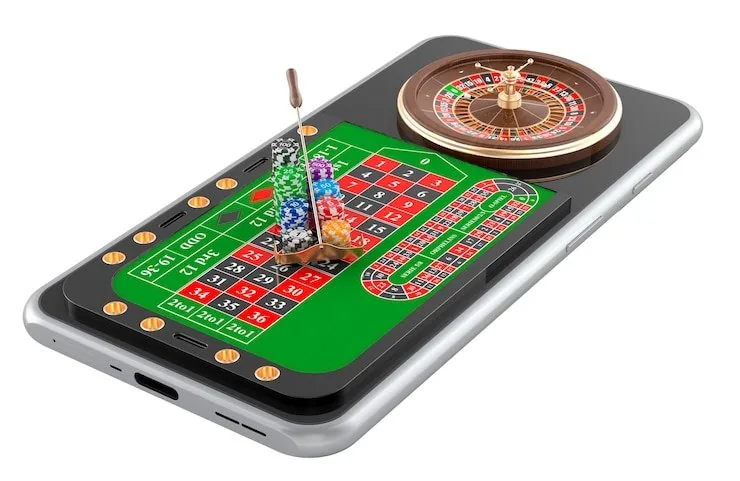
2japp is built to run cleanly in a mobile browser, so you can reach your account, deposit via JazzCash or Easypaisa, and jump into the lobby without downloading anything first.

Mobile browser accessAccount wallet on-the-goDevice availability checkLobby in secondsPakistan-region eligibility
2japp 2japp App — Get Into Your Account From Any Screen
2japp Inside 2japp — What Mobile Gets You

Inside 2japp — What Mobile Gets You

Open your 2japp account on mobile and the lobby arranges itself around your screen — slots from Pragmatic Play and PG Soft, live casino tables streamed by Evolution, crash games like Crash Burst, and cricket-led sports markets including PSL fixtures sit in a single scrollable view. Quick deposit shortcuts put your JazzCash or Easypaisa wallet one tap away from the cashier screen.

Push notifications let you know when a withdrawal clears or when a sports market you follow opens for action. Fingerprint login means you are back inside your account in under three seconds rather than typing credentials each time.
APP CAPABILITY SNAPSHOT

Four Things the Mobile Experience Handles Well

The 2japp mobile experience is shaped around speed and account control. These four capabilities make the difference between a lobby you visit once and one you return to from Lahore or anywhere else you happen to be when the mood strikes.

Fingerprint Login Skip the password screen entirely. Biometric login is supported on compatible devices, so your account opens the moment your fingerprint or face ID is recognised.
Push Notifications Get a ping when your Raast or Easypaisa withdrawal is processed, or when a cricket market you have active receives a status update worth knowing.
Dark Mode Display The interface adapts to your device display settings. Dark mode reduces eye strain during late-session play on live tables like Blackjack Pakistan Live.
Offline Lobby Preview Lost your connection mid-session? The lobby shell loads from cache so you can see your game history and account balance while connectivity restores.

Which Devices and Browsers Work With 2japp

Most modern smartphones running a current browser connect to the 2japp lobby without adjustment. The checklist below covers what actually matters for a smooth session — not invented specs, but the real access conditions we can describe honestly.

Android and iOS BrowsersThe mobile site runs in Chrome on Android and Safari on iOS. Both handle the live table streams and the JazzCash payment redirect without additional plugins.
Screen Layout AdaptationThe lobby layout shifts between portrait and landscape automatically. Games like Blackjack Card Room and Crash Burst are playable in either orientation without manual resizing.
Account RequirementsA verified account with at least one linked wallet — JazzCash, Easypaisa or Raast — is needed before deposits or withdrawals unlock in the mobile cashier.
Currently Supported DevicesTo check whether your specific handset model is fully supported, sign in and open the account settings page, where device status and any compatibility notes are shown.
Region and Law EligibilityMobile access to the 2japp lobby is subject to your region's local laws. Where access is not permitted, the site will indicate this at the point of login.
2japp Mobile Access in Three Simple Steps

Mobile Access in Three Simple Steps

Getting into the 2japp lobby on mobile does not require an app store visit. Step one: open your mobile browser — Chrome or Safari both work — and navigate to the current 2japp address. Step two: check that your browser is up to date, since an older version may not render the live casino stream from Evolution smoothly or handle the Raast

payment redirect correctly. Step three: sign in using your credentials or use fingerprint login if you have set it up. First-time accounts complete a quick verification step before the cashier unlocks, which is standard for wallet-linked accounts using JazzCash or Easypaisa. Access depends on local law and is available where your region is eligible.

  • Open the Site in Your Browser — Navigate to the current 2japp address in Chrome or Safari on your mobile device — no app store step needed to reach the lobby.
  • Confirm Browser Compatibility — Make sure your browser is updated. An outdated version can affect live table streams and may interrupt the Easypaisa or Raast payment redirect.
  • Sign In and Verify Your Account — Use your login credentials or biometric shortcut. New accounts complete a wallet verification step before the cashier is fully active.
  • Check App Availability — If a native app build is currently offered for your device, a prompt or link will appear on the site. Availability varies by region and device type.

Common Questions About the 2japp App

These are the questions we hear most often from people exploring the 2japp mobile experience for the first time. Each answer is specific to how the app and mobile site actually work — not generic casino copy.

No download is required to access the lobby. The mobile browser version works on most current Android and iOS devices. Whether a native app build is available is shown on the site when you log in.

Yes. The mobile cashier supports JazzCash, Easypaisa and Raast. You follow the payment redirect within your browser, confirm with your wallet PIN, and the deposit registers in your account.

Fingerprint and face ID login work on compatible devices where your browser supports biometric authentication. Set it up once in account settings and it remains active for future sessions.

Slots from Pragmatic Play and PG Soft, crash games like Crash Burst, and live tables including Blackjack Pakistan Live all load and play smoothly in a current mobile browser.

First check your browser version and refresh the page. If the issue continues, switch from a mobile data connection to Wi-Fi. You can also contact account support for a connection check.

Sign in and open the account settings page. Any device-specific compatibility notes or limitations are shown there. Access also depends on your region's local law and eligibility status.
Reference

2japp App

Service availability depends on eligible regions and local law. Users should check local rules before opening an account.

Access may be available only where local law permits.